How It Works
HOW IT WORKS
Collect Every Photo from Your Event — Without an App
Create a private gallery, share your link or QR code, and let guests upload photos and videos instantly.
No app required
Private event gallery
Photos & videos in one place
OUR FEATURES
Create your event in minutes
Set Up in Minutes
Create your event and get your gallery ready instantly.
No App Required
Guests join directly from their phone — no downloads.
Private by Default
Only your guests can access your event gallery.
OUR FEATURES
Collect Photos in 3 Simple Steps
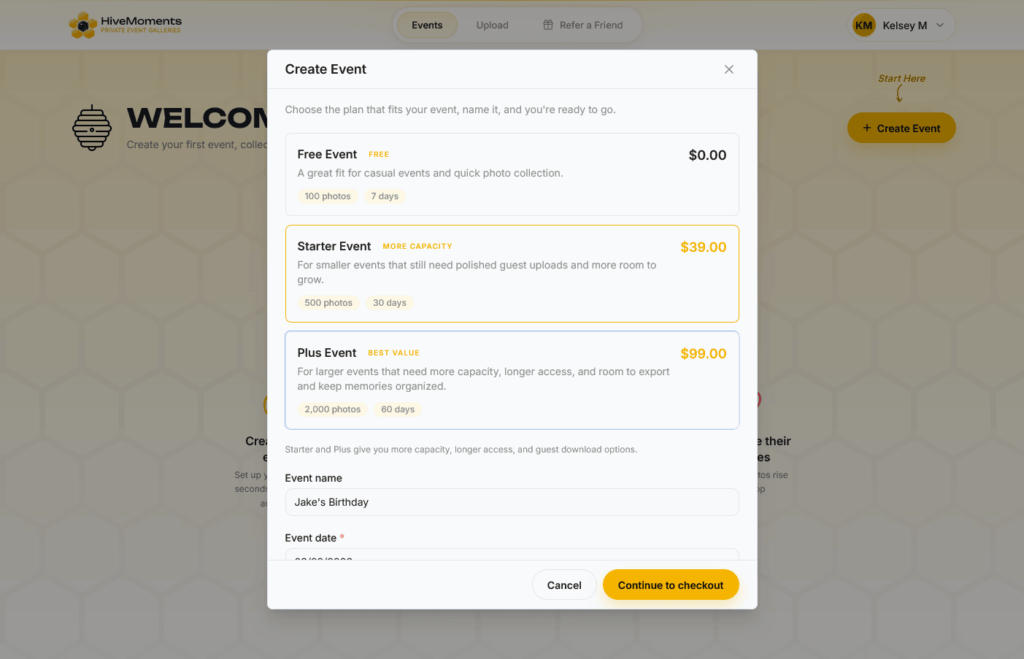
1. Create Your Event
Set up your event in seconds. No complicated settings — just name your event and you’re ready to go.
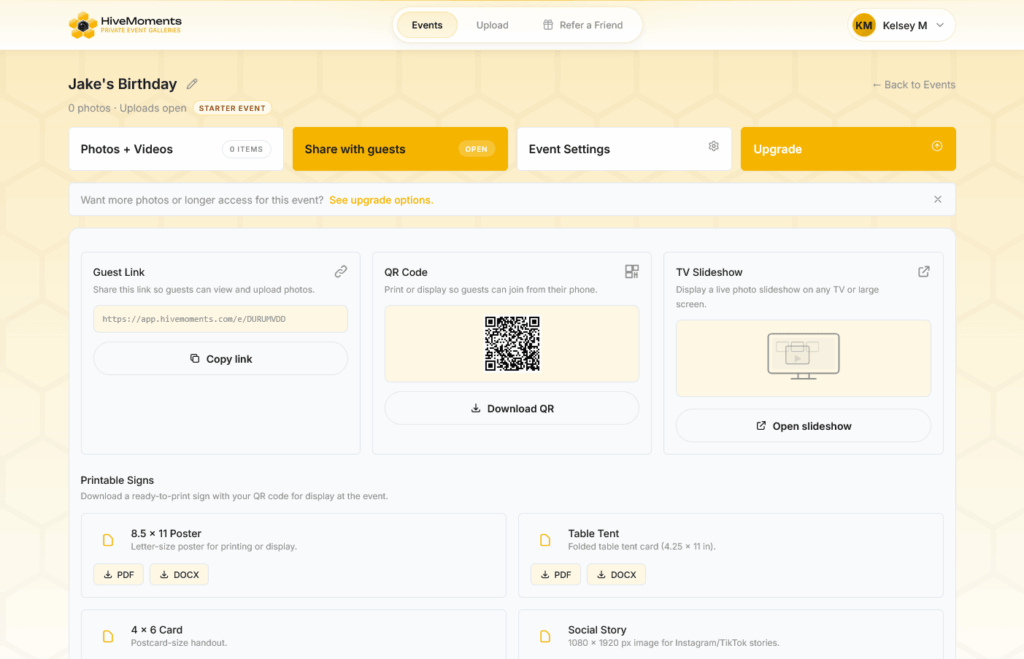
2. Share with Guests
Send your event link or QR code. Guests can join instantly — no accounts or downloads needed.
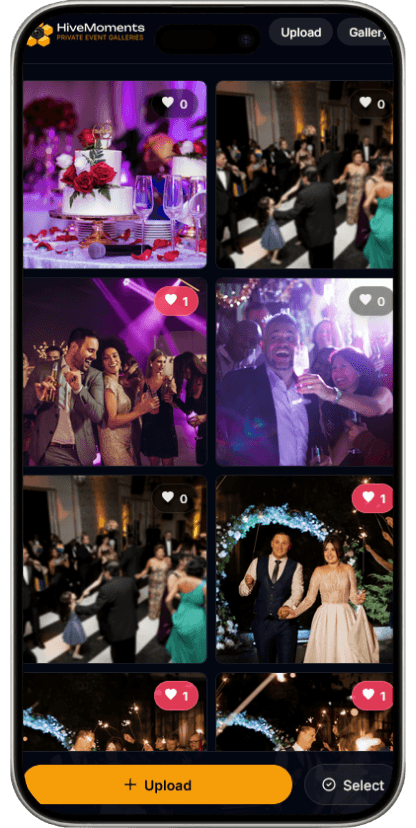
3. Guests Upload Instantly
Guests upload photos and videos directly from their phones during your event.
4. Enjoy Everything in One Place
Watch your gallery fill in real time. Download, share, and relive every moment.
No apps. No logins. Just simple, seamless photo sharing.
You’re Always in Control
Approve Photos
Review uploads before they appear in your gallery.
Download Everything
Get all photos and videos after your event.
Private by Design
Only invited guests can access your event.
Common questions
Still have questions? Here’s everything you need to know.
01
Do guests need to download an app?
No — HiveMoments uses QR code photo sharing for events, so guests simply scan and upload photos directly in their browser. No app or account required.
02
Is the gallery private?
Yes — only people with your event link or QR code can access the gallery and upload photos.
03
Can I moderate photos before they appear?
Yes — you can approve or reject uploads before they are visible to guests.
04
Can I download all the photos after the event?
Yes — download access is included with every plan for a set period after the event.
05
How many photos can guests upload?
That depends on your plan. Free includes up to 100 photos, Starter includes up to 500, and Plus includes up to 2,000.
06
What happens when my gallery access ends?
Your gallery remains available for the access period included in your plan. Be sure to download your photos before the download window ends.
07
Can I upgrade later?
Yes — start with Free and upgrade to Starter or Plus if you need more room, longer access, or more download time.